Trailbrozer 1.0
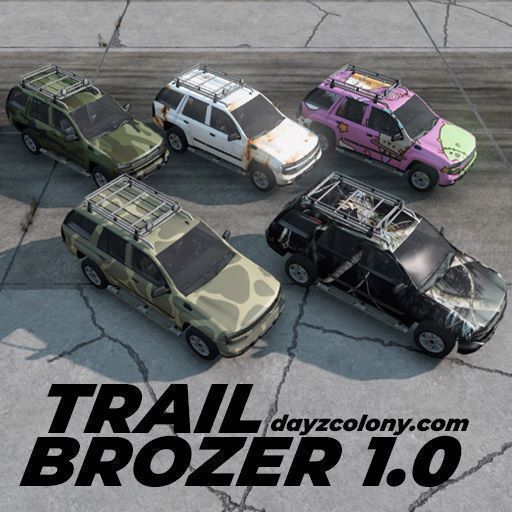
Welcome to Trailbrozer 1.0 Trailbrozer 1.0 is an updated version of the (WIP) TrailBrozer SUV originally created by Nehr. On 2/4/20, Nehr released the files for the Trailbrozer (TrailBrozer SUV Sample) to the workshop allowing mod makers to update and continue his work. Originally exclusive to the DayZ Colony, a decision was made to release Trailbrozer 1.0 publicly for everyone to enjoy. Trailbrozer 1.0 has just… (more)
Welcome to Trailbrozer 1.0 Trailbrozer 1.0 is an updated version of the (WIP) TrailBrozer SUV originally created by Nehr. On 2/4/20, Nehr released the files for the Trailbrozer (TrailBrozer SUV Sample) to the workshop allowing mod makers to update and continue his work. Originally exclusive to the DayZ Colony, a decision was made to release Trailbrozer 1.0 publicly for everyone to enjoy. Trailbrozer 1.0 has just been reworked and fully optimized for DayZ 1.28. DISCORD All support will be done in our Support Forum found here: https://discord.gg/UKdrXTmhNV Trailbrozer 1.0 has been updated, modified, and beautified to suit the new vehicle changes in recent versions of DayZ. Trailbrozer 1.0 Changelog Completely new engine model. Overall handling, driving offroad and up hills/slopes are no longer an issue. Reworked audio .ogg's. Automatic transmission available. Suitable driver and vehicle protection, easy wrecking and quick player deaths are fixed. Custom license plate. Reworked navigation screen. Updated wheel textures. Updated gas tank and first aid kit textures. Headlights have been reworked that look great during nightplay. 25 new highres colors and camos. Compatible with CarCover mod. EXTRAS XML trailbrozer_types.xml. trailbrozer_events.xml. trailbrozer_cfgspawnabletypes.xml. trailbrozer_cfgeventspawns.xml (50 custom spawn points). TRADER TraderPlus. TraderJones. ExpansionMod. INSTALLATION 1. Subscribe to Trailbrozer. 2. Start DayZ, initiate the DayZ Launcher, and click the Mods tab on your left. On the bottom of your Mods tick the box to the left of the Trailbrozer mod. This should download the mod. 3. Go to Program Steam\steamapps\common\DayZ\!Workshop, and copy the @Trailbrozer folder to your desktop or desired location. 4. Put the @Trailbrozer folder into the root folder of your DayZ server. 5. Copy the Weyland.bikey into your keys folder of your server. 6. In your Server Startup Parameters add '-mod=@Trailbrozer'. GSP USERS If you use a GSP like Fragnet, ignore Step 6 and perform the following: 7. Go to your Commandline Manager\Custom Commandlines\Edit and where it says -mod just add @Trailbrozer into that text field. If you have multiple mods, make sure the inside of your text field looks like this... Example: @Trailbrozer;@MoreStamina;@LessDestruction;@JoinDayZColony; PERMISSIONS PERMISSION IS NOT GRANTED FOR THIS MOD TO BE UNPACKED, REPACKED, OR INCLUDED IN A SERVER PACK or MOD PACK Use a Collection if you want to include this mod on your server for your users. THUMBS UP Don't forget to give this mod a THUMBS UP and a FAVORITE if you use or like Trailbrozer 1.0. Thank you! DAYZ COLONY If you are interested in originality, realism, legitimate survival, and longest standing DayZ community available, look for DayZColony.com | NO KOS | dayzcolony.com/lifestyle (beware there are similarly named servers) in your preferred launcher. SPECIAL THANKS This mod would have not been possible without the generous contributions of n0mbie SUPPORT A lot of time, testing, research, energy, and Weybux went into making Trailbrozer 1.0 usable in the Workshop. Please consider supporting this work and my future endeavors. WUBBA Check out my Wubba Bullets mod here [url=https://steamcommunity.com/sharedfiles/filedetails/?id=3176
Not analyzed yet
modperf has not read this mod's scripts, so there is no report and it is left out of any stack it appears in. 1 live server in the crawl publishes it.
The worker downloads the mod from the Workshop and reads its Enforce Script — nothing is executed. Usually a few minutes. This page then shows the report.