TraderPlus Config Reloader
TraderPlus Live Loader (Safe Reload) STOP RESTARTING YOUR SERVER FOR PRICE CHANGES! TraderPlus Live Loader is a tool designed to safely reload your TraderPlus prices, stock, and general settings while the server is running. Unlike other reload scripts that crash the server or kick players when loading large trader files, this mod uses a custom "Daisy-Chain" Synchronization System. It sends data to clients one chunk… (more)
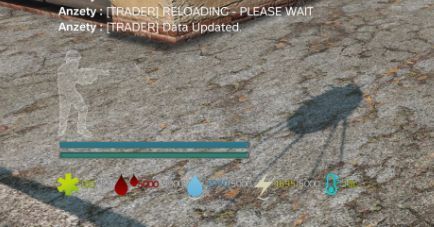
TraderPlus Live Loader (Safe Reload) STOP RESTARTING YOUR SERVER FOR PRICE CHANGES! TraderPlus Live Loader is a tool designed to safely reload your TraderPlus prices, stock, and general settings while the server is running. Unlike other reload scripts that crash the server or kick players when loading large trader files, this mod uses a custom "Daisy-Chain" Synchronization System. It sends data to clients one chunk at a time, ensuring zero server freeze and zero FPS drop, even with 5,000+ items. ✅ Key Features Crash-Proof: Uses "Ping-Pong" networking to prevent packet overflow. Zero Lag: Reloads data incrementally. No "Server Not Responding" spikes. Memory Safe: Clears old data before loading new files to prevent memory leaks. Performance Boost: Includes a built-in "Silencer" that stops TraderPlus from spamming your server logs, saving disk performance. Secure: Only authorized SteamIDs can trigger the reload. 🛠️ Installation & Configuration Requirement: This mod must be installed on both the Server and the Client. Install: Add @TraderPlus_LiveLoader to your server mod list. Ensure players download it. Run: Start your server once. The mod will detect that it is running for the first time. Configure: Navigate to your Server Profile folder (e.g., config, profiles, or SC). Open the folder: TraderPlus_LiveLoader Open the file: LiveLoader.json Add Admin: Replace the dummy SteamID (7656...) with your Steam64 ID. You can add multiple admins by separating them with commas. Example Config: { "ConfigVersion": "1.0", "AdminSteamIDs": [ "76561198012345678", "76561198087654321" ], "ReloadWarningSeconds": 5 } Save the file. You do not need to restart if the server is already running. 🎮 How to Use Edit your TraderPlusPriceConfig.json or other settings on the server. Log into the game. Press Ctrl + T. Wait for the chat message: "✅ Trader Data Updated." All players now see the new prices immediately. 🔓 Permissions & Repack You are free to repack this mod into your server pack. Since this requires client-side code to handle the network synchronization, repacking is recommended to reduce your mod count. Credits: Built for stability by the DayZ Modding Community.
Not analyzed yet
modperf has not read this mod's scripts, so there is no report and it is left out of any stack it appears in. 1 live server in the crawl publishes it.
The worker downloads the mod from the Workshop and reads its Enforce Script — nothing is executed. Usually a few minutes. This page then shows the report.