Repair From Ruined to Pristine Updated
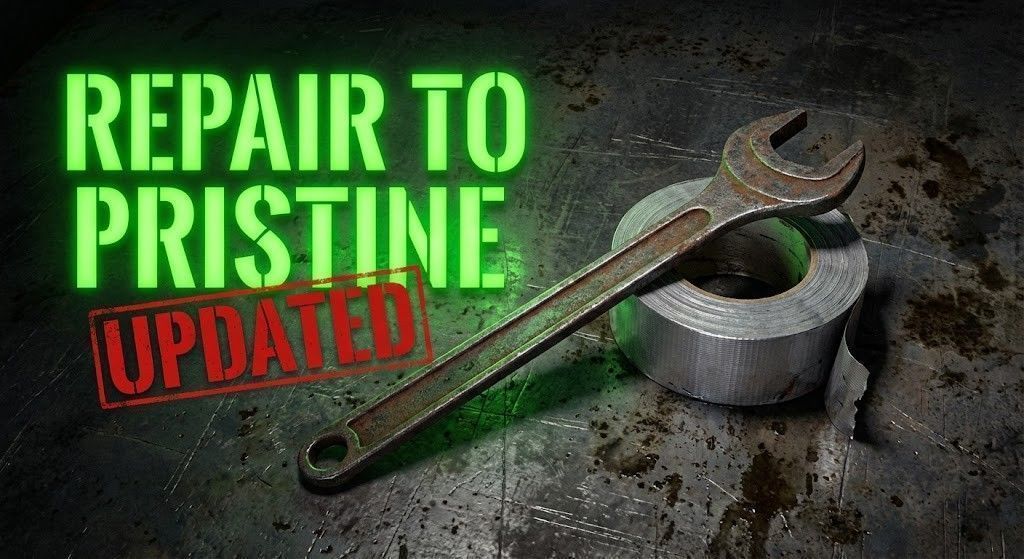
Repair to Pristine Updated (v2.0) Transform your DayZ experience with the ability to fully restore items and vehicle parts! This mod introduces a balanced, highly configurable repair system that allows players to restore damaged equipment to pristine condition and—optionally—repair ruined items. ✨ Version 2.0 Features Repair to Pristine: Restore items from Worn, Damaged, or Badly Damaged to a perfect Pristine state.… (more)
Repair to Pristine Updated (v2.0) Transform your DayZ experience with the ability to fully restore items and vehicle parts! This mod introduces a balanced, highly configurable repair system that allows players to restore damaged equipment to pristine condition and—optionally—repair ruined items. ✨ Version 2.0 Features Repair to Pristine: Restore items from Worn, Damaged, or Badly Damaged to a perfect Pristine state. Configurable Ruined Repair: Server admins can now enable repairing of Ruined items (disabled by default). Smart Wheel Repair Fix: Includes a custom fix for vehicle wheels. When repairing a ruined tire, the mod automatically replaces the "Ruined" model object with the standard version to ensure the visual model updates correctly. Advanced Cost Balancing: Separate configuration modifiers for standard repairs, pristine repairs, and ruined repairs allows for precise economy balancing. Universal Compatibility: Works with all vanilla repair kits (Weapon Cleaning Kit, Sewing Kit, Epoxy Putty, Leather Sewing Kit, Tire Repair Kit). 🎮 How It Works Step 1: Identify the item condition. By default, you can repair anything that is not Ruined. (Ruined repair requires server config change). Step 2: Select the appropriate repair kit: Weapon Cleaning Kit → Firearms, optics, suppressors Sewing Kit → Clothing, backpacks, vests Leather Sewing Kit → Leather items, boots Epoxy Putty → Metal items, helmets, car parts Tire Repair Kit → Vehicle tires Step 3: Use the repair kit. Repairing from Damaged → Worn uses the standard amount of kit. Repairing from Worn → Pristine may cost more or less depending on server config (Default: slightly more expensive). ⚙️ Server Configuration The configuration file is automatically generated after the first server launch. Path: /RepairToPristineUpdated/RepairToPristineConfig.json Default Configuration (v2.0): { "ConfigVersion": 2, "RepairKitModifier": 0.8, // Multiplier for standard repairs (Damaged -> Worn) "PristineRepairKitModifier": 1.2, // Multiplier for repairing Worn -> Pristine "EnablePristineRepair": 1, // 1 = Enabled, 0 = Disabled "EnableRuinedRepair": 0, // 1 = Allow repairing Ruined items, 0 = Disabled "RuinedRepairKitModifier": 2.5, // Multiplier cost for repairing Ruined items (if enabled) "DebugMode": 0 } Note: If upgrading from v1.0, the server will automatically migrate your config to Version 2 and add the missing fields. 💾 Installation 1. Subscribe to Repair to Pristine Updated on Steam Workshop. 2. Add the mod to your server startup parameters: -mod=@RepairToPristineUpdated 3. Launch the server. 4. Configure RepairToPristineConfig.json to your liking. Credits Mod created by TryHackX. I spent a lot of time creating the second version, so please don't repackage it. If you're a large administrator, feel free to ask.
Not analyzed yet
modperf has not read this mod's scripts, so there is no report and it is left out of any stack it appears in. 24 live servers in the crawl publish it.
The worker downloads the mod from the Workshop and reads its Enforce Script — nothing is executed. Usually a few minutes. This page then shows the report.