Floating Combat Text
Floating Combat Text See floating damage numbers, hitmarker crosshair, and hit sounds when you deal damage. 💥 What Is Floating Combat Text? Floating Combat Text adds floating damage numbers above targets when you shoot or melee them — just like RPGs and shooters you already know. Every hit shows a number that floats upward and fades out, with special effects for headshots, kills, and knockouts. No client-side… (more)
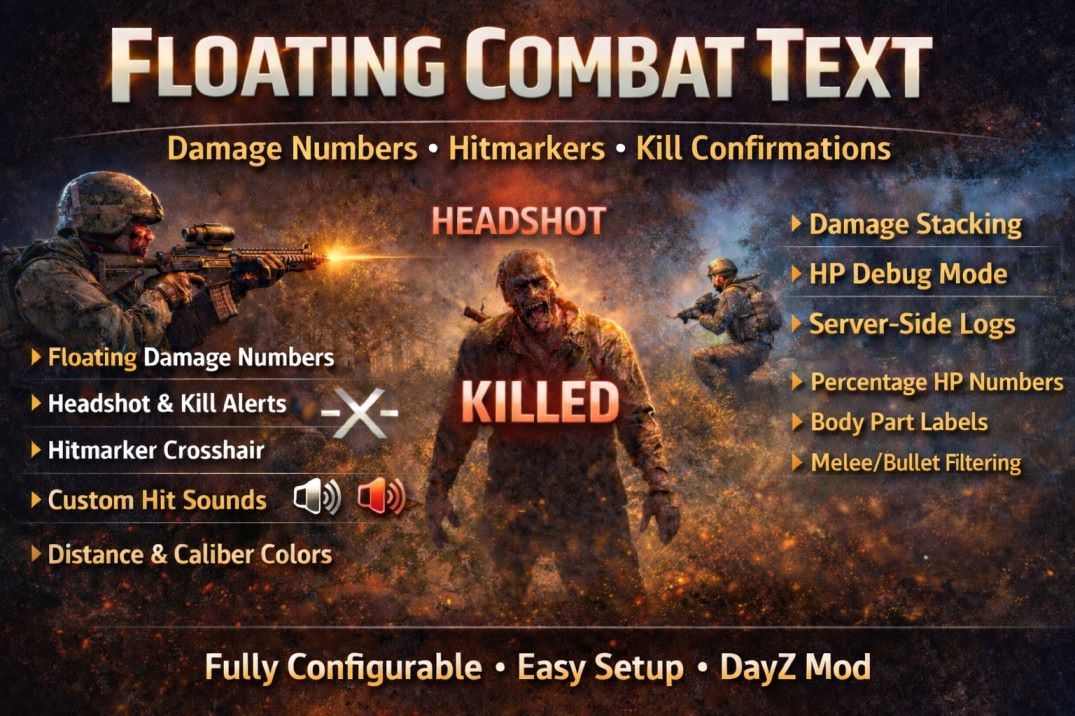
Floating Combat Text See floating damage numbers, hitmarker crosshair, and hit sounds when you deal damage. 💥 What Is Floating Combat Text? Floating Combat Text adds floating damage numbers above targets when you shoot or melee them — just like RPGs and shooters you already know. Every hit shows a number that floats upward and fades out, with special effects for headshots, kills, and knockouts. No client-side exploits. No vanilla changes. Just clean, responsive damage feedback on top of the base game. ⭐ Features Damage Numbers Floating damage text — Numbers appear above the target and float upward with smooth fade Pop animation — Numbers start at 135% size and settle down for visual impact Headshot emphasis — Headshots show larger, dark red text with a "HEADSHOT" prefix Headshot kills — Headshot kills display "HEADSHOT KILLED" in headshot color at increased size Kill confirmation — Large gold "KILLED" text when you down a target Shock damage — Optional secondary text showing shock damage below the main number Normalize to % — Show remaining HP as a percentage instead of raw numbers Hitmarker & Sound Crosshair hitmarker — Brief + crosshair flash on body hits, rotates to X on headshots 3 hitmarker colors — Different colors for normal hits, headshots, and kills Hit sounds — Custom sound effects with separate headshot sound (CSGO and Valorant options included) Configurable size & duration — Control hitmarker appearance Damage Stacking Rapid hit combining — Multiple hits within a time window merge into one growing number Configurable window — Set the stacking time in milliseconds Hit counter — Stacked hits update the text in real-time Visual Customization Caliber-based colors — 17 pre-configured ammo colors (7.62 = orange, 5.56 = green, 9mm = blue, etc.) Damage scaling — Bigger hits produce bigger text (0.6x–2.0x range) Distance display — Optionally show distance to target (e.g. "45 127m") Hit zone labels — Show body part (e.g. "45 ") Damage type labels — Show ammo type prefix Custom font size, outline, bold — Full text appearance control Random offset — Scatter numbers so rapid hits don't overlap Target Filtering Players — Toggle damage numbers on players Infected — Toggle damage numbers on zombies Animals — Toggle damage numbers on animals Bullet damage — Show/hide bullet hit numbers Melee damage — Show/hide melee hit numbers Minimum threshold — Ignore tiny scratch damage Admin Tools Debug mode — Show remaining HP below damage text for balance testing Damage log — Server-side file logging of all damage events Toggle hotkey — Press = (equals) to toggle floating text on/off (rebindable in DayZ Settings) Required on both server and client. 🎮 Controls Action Default Key Notes Toggle Floating Text = (equals) Rebindable in DayZ Settings > Controls > Floating Combat Text When toggled off, floating damage numbers are hidden but the hitmarker crosshair and hit sounds continue working. 🔧 Configuration Everything is controlled through a single JSON file — FCTConfig.json The config is organized into clearly labeled sections with built-in documentation: General Settings (maste
Not analyzed yet
modperf has not read this mod's scripts, so there is no report and it is left out of any stack it appears in. 1 live server in the crawl publishes it.
The worker downloads the mod from the Workshop and reads its Enforce Script — nothing is executed. Usually a few minutes. This page then shows the report.