NoobPercentHud
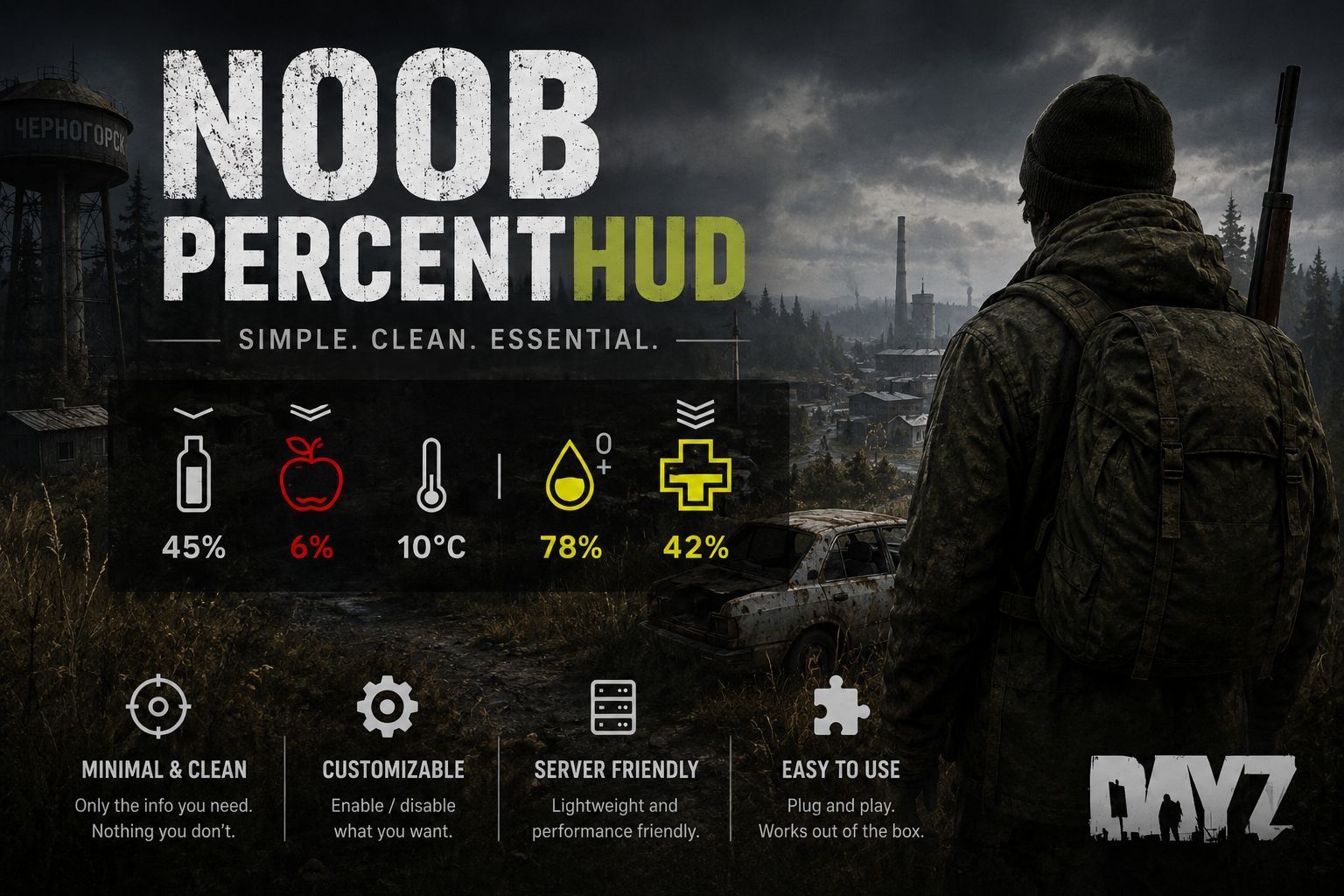
NoobPercentHud Read your status at a glance — exact numbers, right on the vanilla HUD. NoobPercentHud overlays a clean percentage value on top of the standard DayZ status icons (Health, Blood, Hunger, Thirst) and shows your real body temperature next to the temperature icon. No extra panels, no clutter — just the vanilla HUD you already know, now with precise numbers instead of guessing from a glowing icon. Features… (more)
NoobPercentHud Read your status at a glance — exact numbers, right on the vanilla HUD. NoobPercentHud overlays a clean percentage value on top of the standard DayZ status icons (Health, Blood, Hunger, Thirst) and shows your real body temperature next to the temperature icon. No extra panels, no clutter — just the vanilla HUD you already know, now with precise numbers instead of guessing from a glowing icon. Features Percentage overlay on vanilla stats — Health, Blood, Hunger and Thirst each show a live 0-100% value rendered directly on top of the existing DayZ icon. Nothing is moved or hidden; the number simply sits on the icon you already read. Color-matched text — each percentage mirrors the color of its vanilla icon in real time. When the game flashes an icon red to warn you (low blood, critical health, etc.), the number turns the same color — so the warning reads exactly as it always did. Real temperature readout — instead of a vague icon, the temperature slot shows an actual number derived from the world's environmental temperature plus your character's heat-comfort state, so a warm fire or a cold storm is reflected in the value. Celsius or Fahrenheit — pick the unit server-wide. The value is converted on the fly and the suffix (C / F) updates to match. Configurable degree symbol — choose the character shown between the number and the unit (e.g. a degree symbol, ~, *, or nothing at all). Server-synced settings — the temperature unit and symbol are set once by the admin and pushed to every client automatically when they connect, using the native DayZ RPC system. Every player sees the same configured unit. No framework dependency — runs on the base game alone. No Community Framework (CF) or any other mod is required. Lightweight — values are throttled and only refreshed on a timer, so there is no noticeable impact on client performance. Requirements NoobPercentHud has no external mod dependencies — it only needs the base game (Game, World and Mission modules). Just add it to your mod line and it works. Installation (Server) Subscribe to NoobPercentHud. Add the mod to your server's mod line, e.g. @NoobPercentHud. Start the server once to generate the configuration file. The file will be created at: $profile:NoobMods\NoobPercentHud\Config.json Configuration { "TemperatureUnit": "C", "DegreeSymbol": "°" } Field Value Description TemperatureUnit "C" / "F" Unit used for the temperature readout. C for Celsius, F for Fahrenheit. Case-insensitive; any invalid value falls back to C. DegreeSymbol text Character(s) shown between the number and the unit suffix, e.g. ° for 20°C. Leave empty ("") for 20C. Notes: The config lives under a shared NoobMods folder so all Noob mod configs stay in one place. If the file does not exist on startup, the server creates it with default values automatically. The temperature unit and degree symbol are synced to every client when they connect — players do not edit anything locally. The degree symbol is read from this JSON file (not the code), so any character your font supports can be used safely. Use on Monetized Servers NoobPercentHud may be used on monetized servers (donations, shops, perks, etc.), as long as the server fully complies with Bohemia Interactive's monetization rules for DayZ. Always review the official guidelines and keep your server
Not analyzed yet
modperf has not read this mod's scripts, so there is no report and it is left out of any stack it appears in. 6 live servers in the crawl publish it.
The worker downloads the mod from the Workshop and reads its Enforce Script — nothing is executed. Usually a few minutes. This page then shows the report.