BDE Expansion Mods
This mod pack aims to change a few things about DayZ Expansion This is made specifically for servers that run Expansion Bundle and Community Online Tools. If you'd like to modify it for your own use, feel free. Vehicle Locks Gets rid of the need for Vehicle Keys and ties each vehicle to its owner. Already existing vehicles with Keys will automatically migrate to this new system without needing a wipe. Anyone in the… (more)
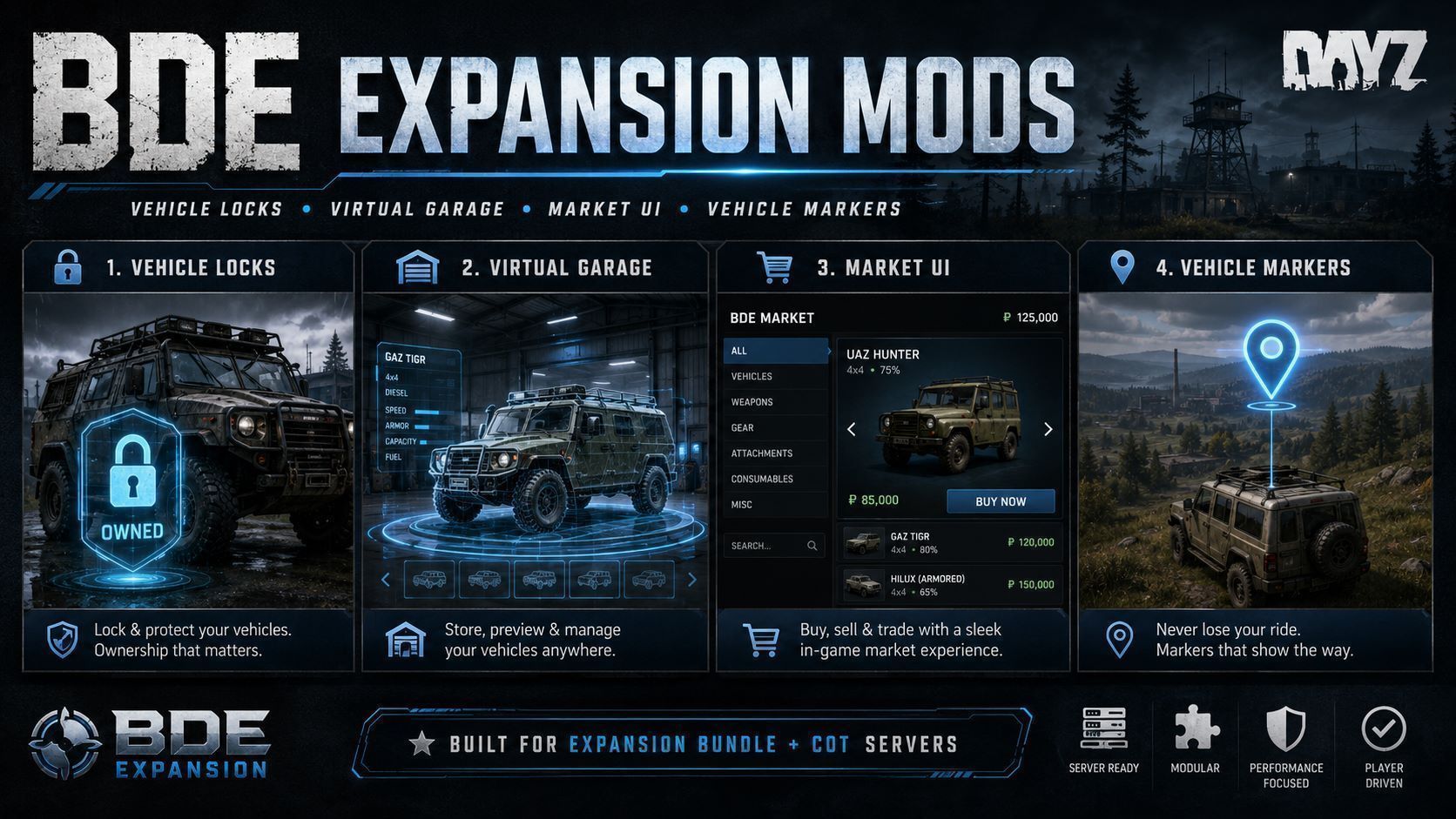
This mod pack aims to change a few things about DayZ Expansion This is made specifically for servers that run Expansion Bundle and Community Online Tools. If you'd like to modify it for your own use, feel free. Vehicle Locks Gets rid of the need for Vehicle Keys and ties each vehicle to its owner. Already existing vehicles with Keys will automatically migrate to this new system without needing a wipe. Anyone in the owners group can access the vehicle. Makes Expansion Keys just usable to claim unowned vehicles, but can make any item configurable as a claim item, or no item. Up to you. Admins with COT active can lock/unlock and reset ownership of any vehicle. Virtual Garage Works with the new Locks system, only players that can access a vehicle can store it. Anyone in the owners group can store/retrieve a vehicle. Real 3d preview of the vehicle. List of vehicles cargo. Option to auto repair on storing. Can set any object you want to act as the garage entity. Admins with COT active can store/retrieve any vehicle. If an Admin stores a vehicle, it will still be retrievable by the owner. So if your players have blocked up the trader, you can store their vehicles for them. Market UI Included but features list can be found on the Standalone Mod Page BDE Expansion Market UI Map UI Included but features list can be found on the Standalone Mod Page BDE Expansion Map UI Vehicle Markers When you get out of any vehicle, it creates a 3d map marker on the vehicle. Marker is only created for the Driver. Marker is automatically deleted upon re-entering the vehicle. Setup If using Vehicle Locks Set "VehicleRequireKeyToStart" from 1 to 0 in /profiles/ExpansionMod/Settings/VehicleSettings.json If using Virtual Garage Set "Enabled" from 1 to 0 in /profiles/ExpansionMod/Settings/GarageSettings.json then put the classname/s of your Garage Objects in "GarageAccessObjects" (replacing "DV_Parking") in /profiles/BDE/BDE_Virtual_Garage/settings.json Requirements Community Online Tools Expansion Bundle It also uses Stalker Light and Effects for lighting inside the Vehicle Preview Hangar. It's not a hard dependant but I'd recommend it, plus it's repackable. Config Explanations Garage Settings "Version": 3, "Enabled": 1, //1 Enables BDE Garage, 0 Disables "GarageAccessObjects": [ // Array of object classes you'd like to act as Garage access points "DV_Parking" ], "MatchInheritedAccessObjectClasses": 1, //1 Enables objects inheriting from GarageAccessObjects to also act as Garage access points "VehicleStoreRangeMeters": 30.0, // Range the vehicles must be from the Garage access entity to be able to be stored "MaxStoredVehiclesPerOwner": 10, // Max amount of vehicles each player can store "AllowGroupAccess": 1, // 1 allows players to access vehicles owned by other members of their group, 0 disables "RequireVehicleEmpty": 1, // 1 requires vehicle to be empty, 0 allows inventory to be stored too "RequireEngineOff": 1, // 1 requires engine to be turned off, 0 allows engines to be on "MaximumStoreSpeedKmh": 1.0, // Max speed a vehicle can be travelling for store to work "AllowRuinedVehicles": 0, // 1 allows ruined vehicles to be stored, 0 disables "AllowStoringDynamicEventVehicles": 0, // 1 allows storing of world spawned vehicles to be stored, 0 disables "AllowCrossWorldRetrieval": 0, // 1 allows every garage to access every vehicle stored from any garage, 0 disables "AlternativeSpawnMaximumRadiusMeters": 40.0, // Max range a vehicle can spawn from the intended spawn point if it is occupie
Not analyzed yet
modperf has not read this mod's scripts, so there is no report and it is left out of any stack it appears in. 4 live servers in the crawl publish it.
The worker downloads the mod from the Workshop and reads its Enforce Script — nothing is executed. Usually a few minutes. This page then shows the report.