Offline P2P Trading
ZMG Offline P2P Trading A placeable mailbox for P2P trading – even when the owner is offline. Craft a mailbox kit and place it – the mailbox is then bound to your SteamID. Every other player can open it and drop items in, but only you can take them out. Perfect for offline trades, deliveries, rewards between players or simply leaving gifts for friends. Features Craftable kit: Cooking Pot + Metal Pipe = Mailbox Kit… (more)
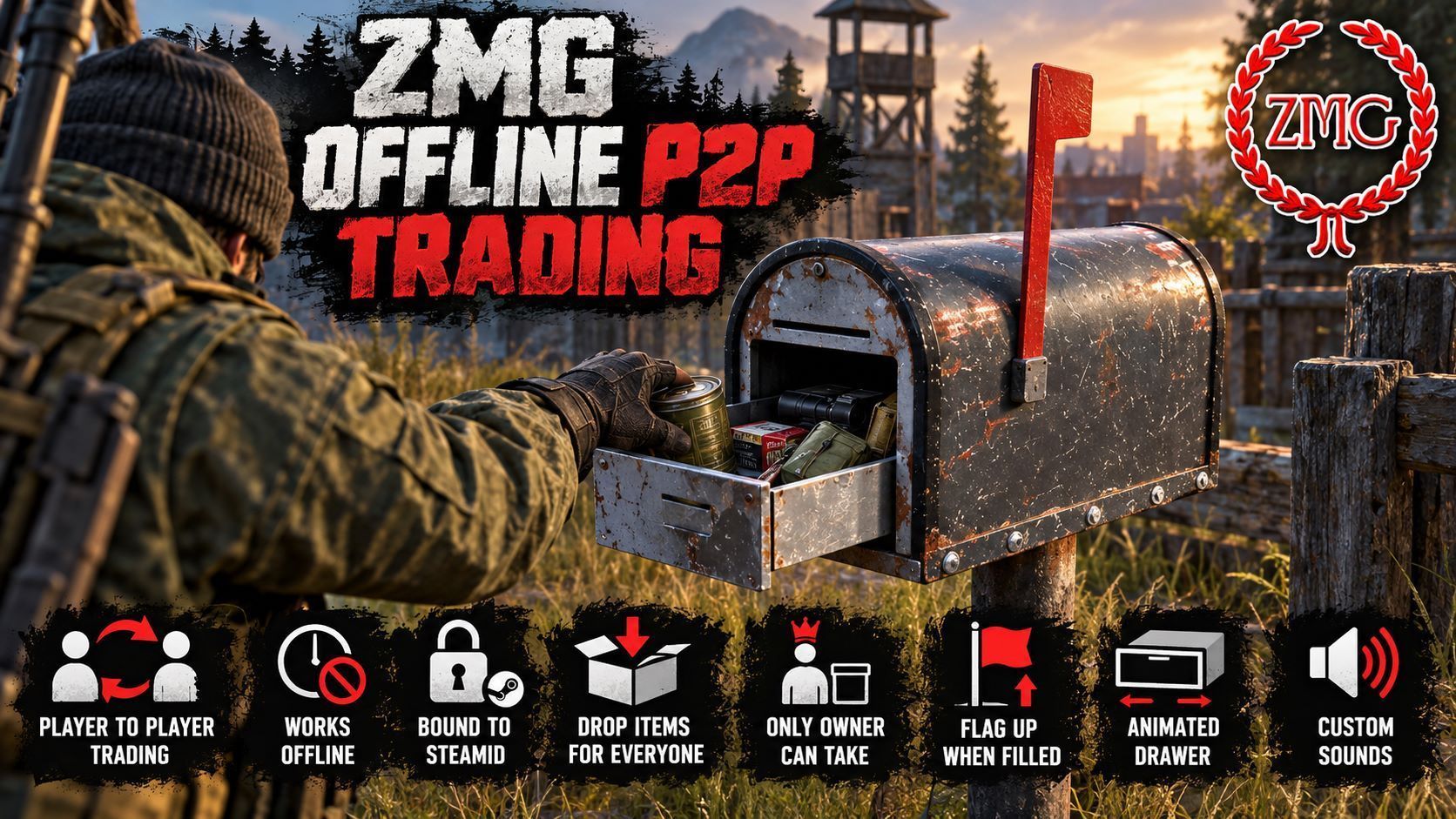
ZMG Offline P2P Trading A placeable mailbox for P2P trading – even when the owner is offline. Craft a mailbox kit and place it – the mailbox is then bound to your SteamID. Every other player can open it and drop items in, but only you can take them out. Perfect for offline trades, deliveries, rewards between players or simply leaving gifts for friends. Features Craftable kit: Cooking Pot + Metal Pipe = Mailbox Kit (the pot must be empty). The recipe can be disabled in the config. Owner-bound: Placing the kit sets up the mailbox and registers it to you (SteamID + in-game name). Drop in for everyone, take out only for the owner: Fully server-side protected – including attachments on deposited weapons, items inside deposited backpacks, stack splitting and swapping. Theft-proof: A placed mailbox cannot be picked up or moved by anyone. Dismantle with a screwdriver: Only the owner can dismantle the mailbox, and only when it is empty. You get the kit back and can set it up somewhere else. Red flag indicator: The flag goes up as soon as there is mail inside and folds down when the mailbox is empty. Animated drawer: "Open mailbox" slides the drawer out, it closes automatically when nobody is nearby. Custom sounds: Metallic sounds when opening and closing, audible for nearby players. Owner name display: Look at a mailbox to see who it belongs to – e.g. "Mailbox (PlayerName)". Transfer log: Every deposit, withdrawal, dismantling and every blocked attempt is logged with player name, SteamID, item and amount – ideal for settling trade disputes. Indestructible (optional): Mailboxes take no damage by default, so the contents cannot be raided. Persistent: Owner, contents and flag state survive server restarts. Multi-language: German, English, Russian, Polish, Czech, French, Spanish, Italian, Portuguese, Hungarian, Japanese, Chinese. How it works Craft: Empty Cooking Pot + Metal Pipe → Mailbox Kit Place: Take the kit in your hands and place it → your mailbox is set up Use: "Open mailbox" → everyone can drop items in, only you can take them out Dismantle: Empty the mailbox, hold a screwdriver → "Dismantle mailbox" → the kit is back on the ground Server Setup Load the mod on server and client. Add both types.xml entries (nominal 0 – craft the kit, sell it via trader or spawn it as admin). Admins: always spawn the kit, not the mailbox itself – a directly spawned mailbox has no owner and cannot be used. On first start the following files are created in the profile folder under ZMG_Offline_P2P_Trading/: Config.json – Indestructible, ShowOwnerName, LogTransfers, AutoCloseDistance, PruneMissingEntriesAfterSeconds, EnableCraftingRecipe (recipe on/off) Mailboxes.json – list of all placed mailboxes. Admins can transfer ownership here (change OwnerSteamID / OwnerName, applied on the next restart). Logs/Transfers_YYYY-MM-DD.log – daily transfer log Good to know Items cannot be dragged from the mailbox directly onto the ground – the owner has to take them into the inventory first. The kit is a heavy item and drops to the ground when crafted. You can hand a dismantled kit to another player – whoever places it becomes the new owner. If the crafting recipe is disabled, the kit is only available via trader or admin spawn. Bug reports & support: https://discord.gg/rS5gT2aFTB If you like this mod, please give it a thumbs up. Free to use – Repack permission: No – do not ask.
Not analyzed yet
modperf has not read this mod's scripts, so there is no report and it is left out of any stack it appears in. 3 live servers in the crawl publish it.
The worker downloads the mod from the Workshop and reads its Enforce Script — nothing is executed. Usually a few minutes. This page then shows the report.