DiscordChatPlus
This is a server side mod only! Description Logs all in-game chat (Direct and Global) and sends it to Discord webhooks, or optionally to your own website. Works with my GlobalChatPlus, along with SchanaModGlobalChat and Expansion global chat mods. This is an updated and fixed version of the original DiscordChat mod: original mod. It works on DayZ 1.30. What's new: Fixed for DayZ 1.30 (the original stopped loading)… (more)
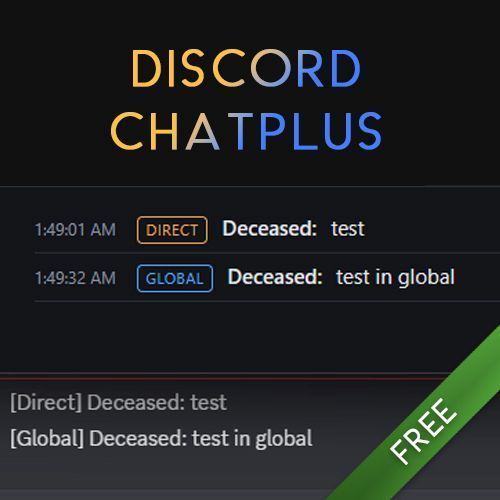
This is a server side mod only! Description Logs all in-game chat (Direct and Global) and sends it to Discord webhooks, or optionally to your own website. Works with my GlobalChatPlus, along with SchanaModGlobalChat and Expansion global chat mods. This is an updated and fixed version of the original DiscordChat mod: original mod. It works on DayZ 1.30. What's new: Fixed for DayZ 1.30 (the original stopped loading) Messages with quotes (") or backslashes (\) now reach Discord and tags on every message Never pings anyone (@everyone and @here in chat do nothing) Optional live chat web page, no database needed (see Extras below) Already using the original DiscordChat? Nothing to set up. Replace the old mod with this one in your server parameter: -servermod=@DiscordChatPlus Do not load both mods at the same time. On first start this mod keeps your existing config, adds the new options to it, and saves a backup copy as Config.json.bak. Your webhooks keep working. New here? Installation Copy @DiscordChatPlus from your !Workshop folder to your server folder Add this mod to your "-servermod=" parameter in your server's start batch file If you haven't set up a profiles folder, also add this parameter: "-profiles=profiles" Run the server once, then edit the config file in your server's profiles/DiscordChat folder (Config.json) Config "id" and "token"? Take this webhook URL as an example: https://discord.com/api/webhooks/123456789123456789/NpKQh2EKVH7ptCfb-1kbRiaQf6ceoyPahv1NLiBh4OapYdY6HMF_fxzTY9zsZCFkjyk- The "id" will be "123456789123456789" The "token" will be "NpKQh2EKVH7ptCfb-1kbRiaQf6ceoyPahv1NLiBh4OapYdY6HMF_fxzTY9zsZCFkjyk-" How to get a Discord webhook Open your Discord server's settings, click "Integrations", then click "Create Webhook". Name it, attach it to a channel, then click "Copy Webhook URL". Config options logDirect / logGlobal: also save chat to a log file in profiles/DiscordChat/Logs Servers: one entry per webhook, add more to post to several channels. sendDirect and sendGlobal choose which chat goes to that webhook php: optional website feature, off by default (see below) Optional: live chat website (Extras) Open the mod's Extras folder (next to addons and keys) for chat.php and the README. Upload chat.php to any PHP host, set your own API key, admin name and PIN in the file, then in Config.json set php "enabled" to 1 and fill in "url" and "apiKey". You get a login-protected live chat page with the latest messages, load earlier, a day picker and a live view. No SQL needed, works on phones. Leave "enabled" at 0 if you only want Discord. License Free and open source (MIT). Take, use, learn, repack, whatever. Have fun!
Not analyzed yet
modperf has not read this mod's scripts, so there is no report and it is left out of any stack it appears in. 1 live server in the crawl publishes it.
The worker downloads the mod from the Workshop and reads its Enforce Script — nothing is executed. Usually a few minutes. This page then shows the report.